Script Safety for Find The Clown
Executor risk, account bans, and red flags — read this before you paste anything.
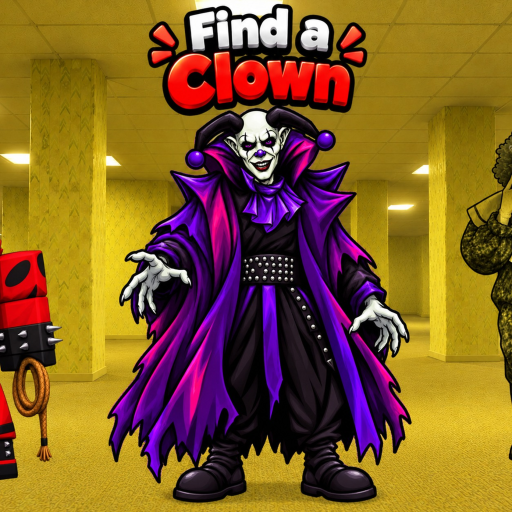
Find The Clown is a free Roblox scavenger hunt by SebasDev. The map rewards careful searching, not blind trust in strangers who promise instant index completion. This page explains the real risks behind executors and loadstrings, how social engineering targets collectors, and how to evaluate any future Find The Clown script without becoming the next banned account.
As of November 2026, this wiki still has no verified dedicated scripts for Find The Clown. That does not mean unsafe pastes are scarce — it means you should be even more careful when someone claims theirs is “the only working one.” Pair this article with the Scripts Hub and Script Features checklist.
Why scavenger-hunt scripts feel tempting
The experience launched on 6 October 2026. Clown counts have climbed from earlier figures around the low sixties toward roughly 68–69 in live title and description text. Each patch adds more hiding spots, including hard routes, secrets, and animatronic-style challenges documented across the Guides Hub and Tier List Hub. When only a few Extreme or secret clowns remain, players look for ESP outlines, teleport-to-nearest, or auto-walk tools.
Temptation peaks after:
- A new clown-count update listed on Latest Update
- A session where you cannot find one last hide from Hard Clowns
- Videos that flash “UNDTECTED” or “KEYLESS” thumbnails for Find The Clown
None of those moments justify disabling security software or handing cookies to a stranger.
Core risks you should assume
Account penalties
Roblox generally treats unauthorized clients, injectors, and exploit executors as rule-breaking tools. Consequences can include kicks, temporary bans, or permanent loss of the account that holds your Find The Clown progress. Index completion is not worth a wiped avatar inventory and lost place favorites.
Malware and credential theft
Many “free scripts” are delivery vehicles. Obfuscated loadstrings can:
- Steal Roblox session cookies and reupload them elsewhere
- Install clipboard stealers that swap crypto or gift-card text
- Open fake login pages that capture your password
- Bundle adware that persists after you close Roblox
If a guide tells you to turn off Windows Defender, allow an unknown .exe, or paste a huge encoded string “because the anti-virus is wrong,” stop immediately.
Social engineering
Scammers impersonate helpers in Discord DMs, group chats, and comment sections:
- “Friend me for the private Find The Clown script”
- “Verify your account on this website to unlock ESP”
- “Pay a small fee for lifetime key” on a brand-new domain
- “This loadstring works on every find-the-X game” with no place-specific testing
Real community tools, when they exist, are discussed publicly and break after patches — secrecy and urgency are classic scam patterns.
Red flags checklist
Reject a script offer if you see any of the following:
- Password, email, or cookie requests outside the normal Roblox login you already use
- Browser extensions that need full site data access just to “enable ESP”
- Paid keys sold through random middlemen with no reputation history
- Claims that codes from other clown games also unlock scripts here (see Codes Hub)
- Screenshots that do not match Find The Clown’s current UI or clown count
- Instructions to disable antivirus or ignore SmartScreen warnings
- Obfuscation with zero explanation of what the script actually hooks
- Pressure language — “last 10 keys,” “banwave tomorrow,” “only works tonight”
A legitimate feature list should sound like the checklist on Script Features: outlines on clown models, teleport to nearest uncollected, index helpers — not miracles that auto-complete secrets without risk.
Safer evaluation process (if you still insist)
This wiki does not encourage rule-breaking. If you research tools anyway, minimize damage:
- Use a secondary account you can afford to lose — never your main with limited items.
- Confirm the place — the author should mention Find The Clown / SebasDev / the correct experience, not a generic “all clown games” claim.
- Match the patch — after clown counts change, old scripts often break or mis-teleport. Check Changelog dates.
- Prefer readable code over huge encoded blobs when you have the skill to skim for
HttpGet, webhook URLs, or cookie reads. - Never paste into a browser console on roblox.com itself; website consoles are a common phishing path.
- Stop at the first unexpected permission prompt.
Even with those steps, ban and malware risk remain. The recommended path is still manual play.
What “verified” will mean on this wiki later
When community scripts for Find The Clown exist and are worth documenting, this site’s standard will include:
- Clear feature descriptions aligned with Script Features
- Explicit warnings that executors violate Roblox rules and can ban accounts
- Notes about which update the tool last matched
- No presentation of scripts as required to enjoy the game
- No copying of unverified Discord pastebins just to fill empty pages
Until that bar is met, the Scripts section stays educational: features players seek, safety rules, and links back to legitimate progression.
Legitimate ways to finish your index
Spend the energy you would burn debugging broken scripts on better routes:
- Learn the map with Getting Started and Controls
- Follow a structured hunt in Find All Clowns
- Prioritize with Difficulty Tier List and Special Clowns
- Study Animatronics and Secret Clowns
- Browse All Clowns, Hard Clowns, and New Clowns
- Recheck Updates whenever the title count climbs
Also remember: there are no confirmed promo codes as of November 2026. Do not combine script scams with fake code lists from the Codes Hub research note.
Session hygiene tips (even for legitimate play)
- Enable Roblox 2-Step Verification on your account
- Do not reuse your Roblox password on random “script hubs”
- Be careful with free executor installers bundled with game boosters
- Keep your OS and browser patched
- Log out of shared PCs after playing Find The Clown
Bottom line
Scripts for Find The Clown may appear in the community later. Until verified entries exist, assume most viral pastes are outdated, generic, or hostile. Protect your account first, use the wiki’s guides and tier lists to close the index, and only revisit this topic after reading both the Scripts Hub and Script Features pages with a skeptical mindset.
Frequently Asked Questions
Quick answers for Find The Clown players.
Can using a script ban my Roblox account?
Yes. Unauthorized executors and exploits can violate Roblox rules and lead to kicks or permanent bans. Never risk a main account for Find The Clown automation.
Why does this wiki refuse to post random loadstrings?
As of November 2026 there are no verified dedicated scripts for this exact game. Publishing unverified pastes would spread malware risk and false claims. Working entries can be added only after careful verification.
What is the biggest red flag in a script offer?
Requests for passwords, cookies, or disabling antivirus are immediate deal-breakers. Pressure language and generic “works on every find-the-X game” claims are also serious warnings.
Is a secondary account safe enough?
A throwaway account reduces loss of limited items, but malware can still infect your device and bans can still apply. The safest choice is not running unauthorized tools at all.
How should I progress instead?
Use the guides, difficulty and special tier lists, and Players clown indexes. Track new hides through Updates after each SebasDev content drop.